July 11, 2026
How to Create a Digital Welcome Guide for Hotels: The Complete Guide
Want to create a digital welcome guide for your hotel or vacation rental? Discover the essential steps to design a practical digital guide, accessible via QR Code and built to enhance your guests' experience.
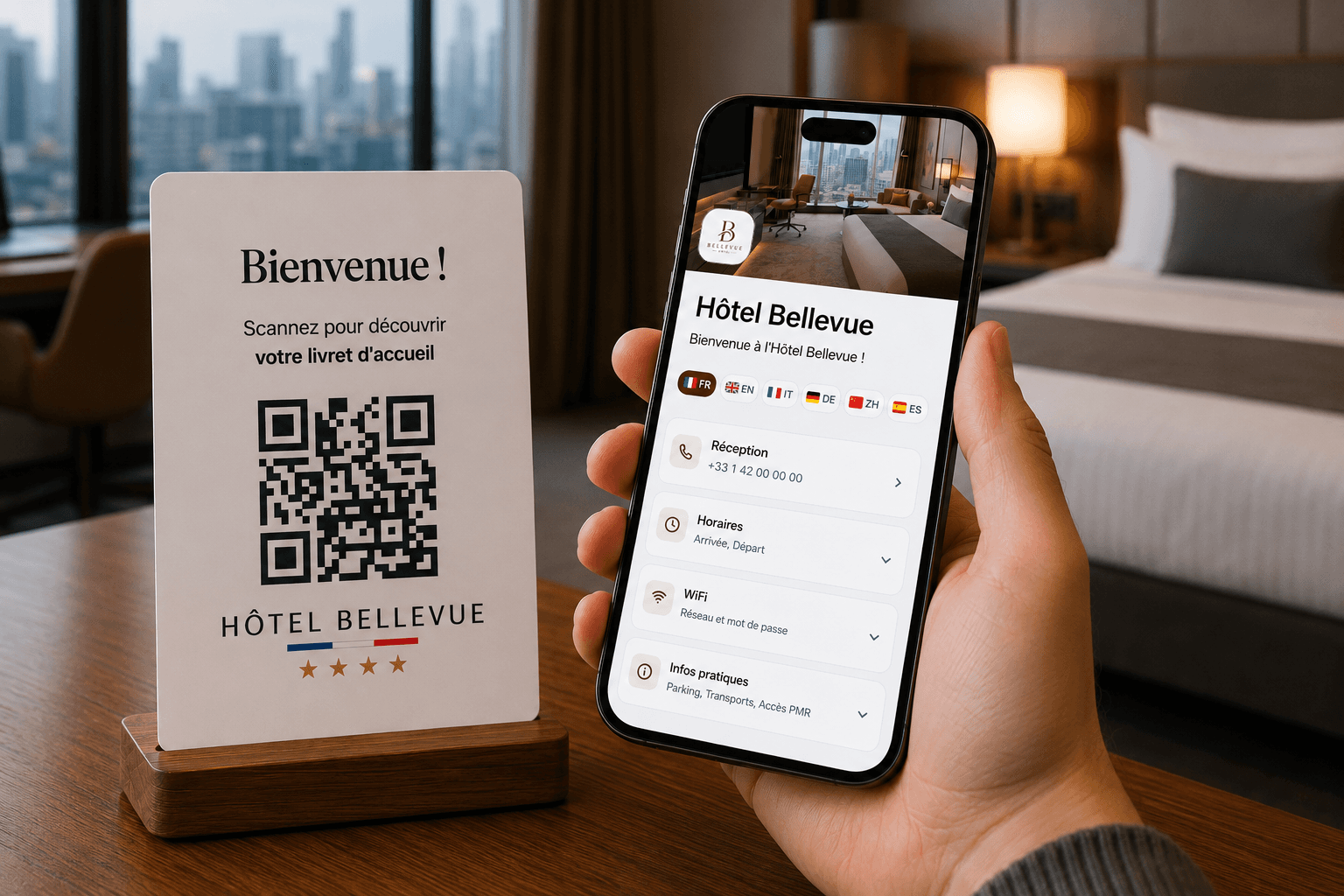
Why Create a Digital Welcome Guide?
Today, travelers search for information quickly and directly from their smartphones. Yet many hotels and vacation rentals still rely on printed brochures or basic PDF files, which are often inconvenient to use.
Creating a digital welcome guide allows you to centralize all useful information, update it in seconds, and improve the guest experience throughout their stay.
Discover the essential steps to design an effective digital welcome guide.
1. Define Essential Information
Before creating your guide, start by listing all the information your guests most frequently search for.
Among the most important details are:
- Check-in and check-out times
- WiFi password
- Breakfast hours
- Parking information
- Available amenities
- Emergency numbers
- Restaurant recommendations
- Nearby activities
The goal is for guests to find answers to their questions in seconds, without needing to contact reception.
Welcome guides created with RoomPage make it easy to organize all this information into clear, accessible categories. Guests quickly find what they're looking for, while properties can update or modify their content anytime.
2. Organize Information Logically
A good digital guide is more than just displaying information. Most importantly, it must be easy to navigate.
Organize content into categories so guests quickly find what they need.
For example:
- Practical Information
- Hotel Services
- Restaurants and Bars
- Nearby Activities
- Emergency Numbers
- House Rules
Clear navigation significantly improves user experience.
3. Design a Guide Built for Smartphones
Today, most guests access their welcome guide directly from their phones.
Therefore, it's essential to prioritize a layout optimized for small screens.
To achieve this:
- use large, easy-to-tap buttons;
- limit text on each page;
- choose readable fonts;
- provide plenty of white space;
- make navigation between sections effortless.
A pleasant-to-use guide will naturally be used more often by your guests. With RoomPage, all welcome guides are designed with mobile-first in mind. Guests access a clear, fast, and intuitive interface without downloading an app or struggling with hard-to-read PDFs.
4. Add Interactive Features
One of the main advantages of a digital welcome guide is the ability to go far beyond a simple document.
For example, you can integrate:
- one-click calls to reception;
- clickable email addresses;
- Google Maps directions;
- restaurant menus;
- spa reservations;
- links to your website;
These small details make stays smoother and reduce requests to staff. RoomPage lets you easily add call buttons, clickable emails, Google Maps links, menus, PDF documents, online booking, and many other interactive features. All information is accessible in seconds from a simple QR Code.
5. Offer Multiple Languages
Properties often welcome international guests.
A traveler who easily understands important information becomes more independent and enjoys their stay more.
Offering multiple languages helps prevent confusion about:
- operating hours;
- amenities;
- safety instructions;
- how services work.
Translation is now a real asset for improving guest experience. RoomPage welcome guides are automatically translated into your guests' language. Each visitor accesses their stay information in their own language, without you needing to create multiple versions of your guide.
6. Generate a QR Code
Once your guide is complete, make it accessible with a QR Code.
Guests simply scan it with their smartphone to instantly access all information.
The QR Code can be placed:
- in each room;
- at the reception desk;
- in elevators;
- in the restaurant;
- in common areas.
The easier it is to access the guide, the more it will be used.
Each guide created on RoomPage comes with its own QR Code. It can be printed on a card, room display, or posted at reception so guests instantly access all their stay information.
7. Update Information Regularly
Unlike a printed brochure, a digital guide can be updated instantly.
You can modify anytime:
- breakfast hours;
- prices;
- menus;
- recommendations;
- available services.
Guests always view an up-to-date version without needing to reprint the entire guide. Updating information on RoomPage takes just seconds. Once saved, all guests automatically see the latest version without reprinting documents or replacing already-installed QR Codes.
Mistakes to Avoid
Even with a digital solution, certain mistakes can hurt guest experience.
Avoid especially:
- using a basic PDF that's hard to read on phones;
- displaying pages overloaded with text;
- forgetting clickable links;
- never updating information;
- creating complicated navigation.
Conclusion
Creating a digital welcome guide isn't just about replacing a printed brochure with a digital version. The goal is primarily to offer a simple, fast, and intuitive experience to your guests.
By properly organizing your information, providing smartphone-friendly navigation, adding interactive features, and regularly updating your content, you improve guest comfort while reducing questions to your team.
With a solution like RoomPage, you can create, customize, and update your welcome guide in minutes. Accessible via a simple QR Code and automatically translated into your guests' language, it centralizes all your property's essential information to deliver a smoother experience from arrival.
A well-designed welcome guide quickly becomes a powerful communication tool, equally valuable for your guests and your team.